Solutions
First Article Inspection
Upload the drawing. Faber balloons it in seconds, numbers every dimension, tolerance and note, and hands back an AS9102 Form 3 with the nominals already in it.
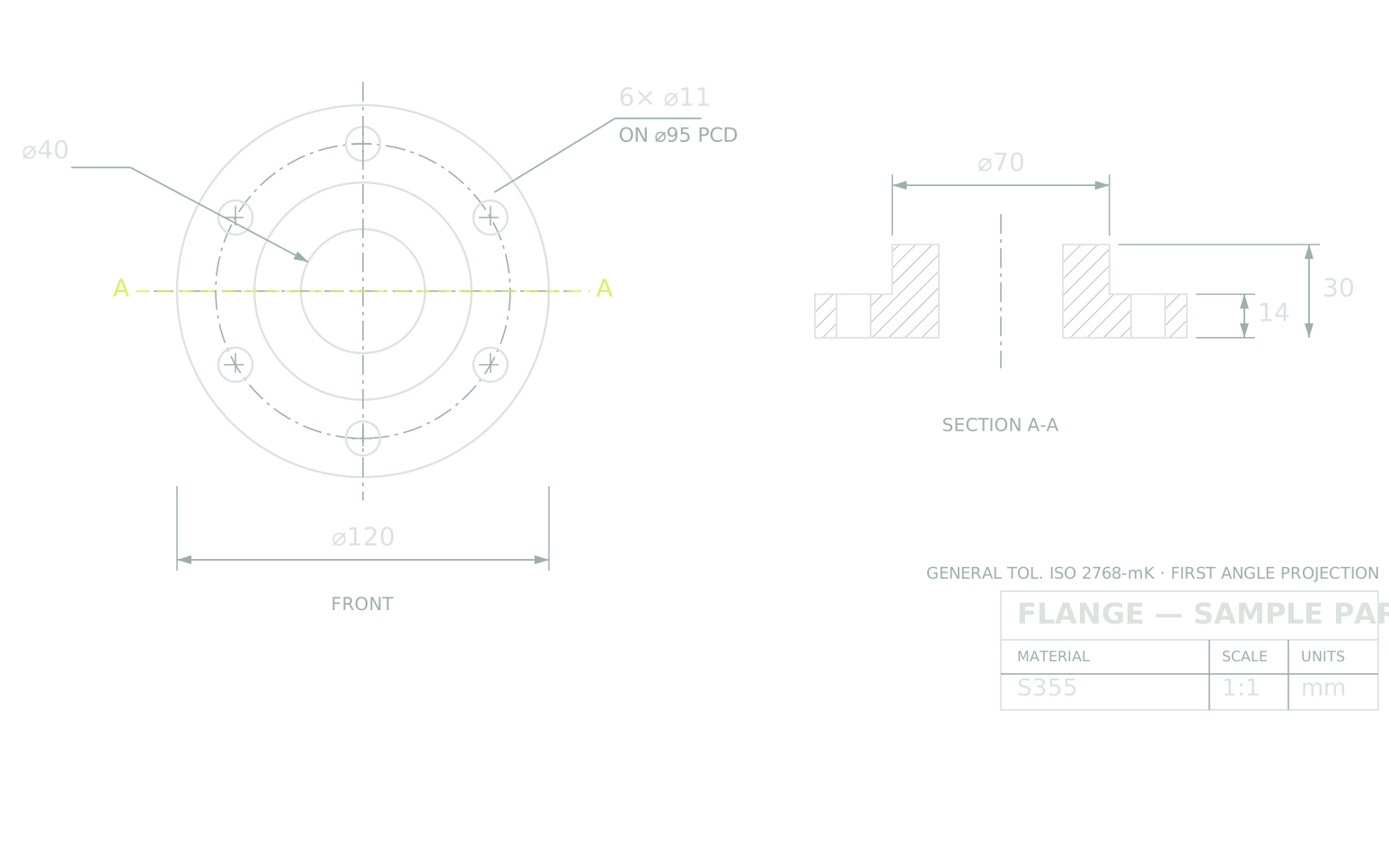
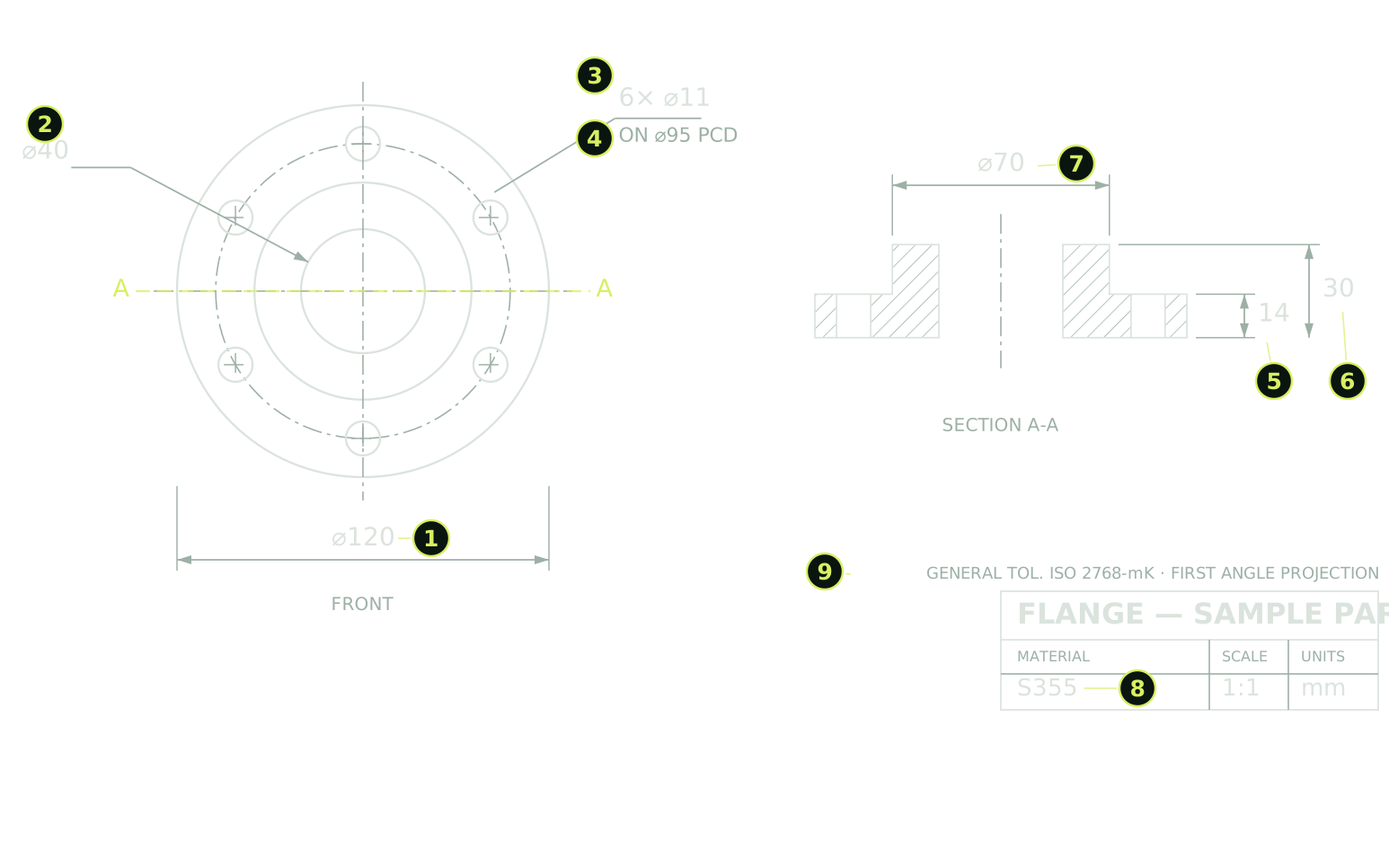
The documents
From a sheet to a signed report
| You uploadThe drawing | You get backBallooned drawing | You get backAS9102 Form 3 | |
|---|---|---|---|
| What it holds | Views, dimensions, tolerances, GD&T callouts and notes, spread over the sheet. | The same sheet, with a number on every characteristic. | One line per number, carrying the nominal, the tolerance and a column for the measured value. |
| Where the time goes | Two to eight hours with a highlighter, and days on a sheet with a thousand characteristics. | Seconds. What is left is checking the balloons and moving the ones you disagree with. | Filled from the balloons, so no characteristic is re-typed from one document into the other. |
| What it is for | Telling a supplier what to make, and inspection what to check. | The annex the Form 3 refers to: line 14 of the report is balloon 14 on the sheet. | The record your customer signs off before the first shipment leaves. |
The run
How it works
- 01Upload the drawing
PDF, DWG and DXF, or an image of the sheet (PNG, JPEG, TIFF), a photograph and a scan of a paper print included.
- 02Faber balloons it
Every characteristic gets a number: dimensions, tolerances, geometric callouts, surface finishes, and the notes in the title block. The balloons land where a person would put them, and you move any you disagree with. The numbering follows.
- 03Take the Form 3
One line per balloon, with the nominal and the tolerance already filled in. Bring your measured values in from the measurement report and the package is complete, without a characteristic re-typed from one document into the other.
FAQ
Common questions
- What is a First Article Inspection?
- The documented proof that the first part off a process meets every requirement on the drawing. AS9100 requires it, AS9102 rev C says what it has to contain, and your customer asks for it again on any change of design, process, tooling or supplier, and after about two years without production.
- What is ballooning, and why does the report need it?
- Ballooning is numbering every characteristic on the drawing so each one can be checked and reported against its number. The Form 3 is a list of those numbers, so it only exists attached to a ballooned sheet. That annex is what Faber produces.
- How long does it take?
- Ballooning a drawing by hand takes two to eight hours, and days on a dense sheet. Faber does it in seconds, and the time you keep goes into checking the result rather than drawing circles.
- What counts as a characteristic?
- Every dimension, tolerance, geometric callout and surface finish, and every note a supplier has to meet. The notes in the title block count too, and they are the ones most often missed by hand.
- What can I upload?
- PDF, DWG and DXF, and images of a drawing: PNG, JPEG or TIFF, including a photograph or a scan of a paper print.
- What if a balloon lands in the wrong place?
- Move it. The numbering follows, and the Form 3 line follows the numbering, so correcting the sheet does not mean editing the report by hand afterwards.
- Can I bring my measured values in?
- Yes. Import the values from your measurement report and each one fills in against its own balloon. That removes the re-keying step between the measurement and the report, which is where most of the errors in an FAI package come from.